
How to Participate in IDO Launchpad on the P2B Exchange?

IDO on centralized exchange is a unique fundraising method, which helps promote crypto projects, grow their community, and find new investors. Also, it is a new opportunity for users investing in DEX projects or NFT on CEX without registration and KYC verification. In this guide, you will know how to take part in the crypto ido launchpad on the P2B ido platform.
- Firstly, go to the IDO page and choose the necessary project.
- Connect the wallet by clicking the button and choosing a suitable one.

In case an IDO Launchpad requires the Whitelist, you should:
- Apply for the Whitelist with a click on the button.
- Complete all tasks on the page.
When the Whitelist is done, your wallet gets “Whitelisted” status. It means that you can buy some amount of tokens. Also, you receive a notification with the details by email.
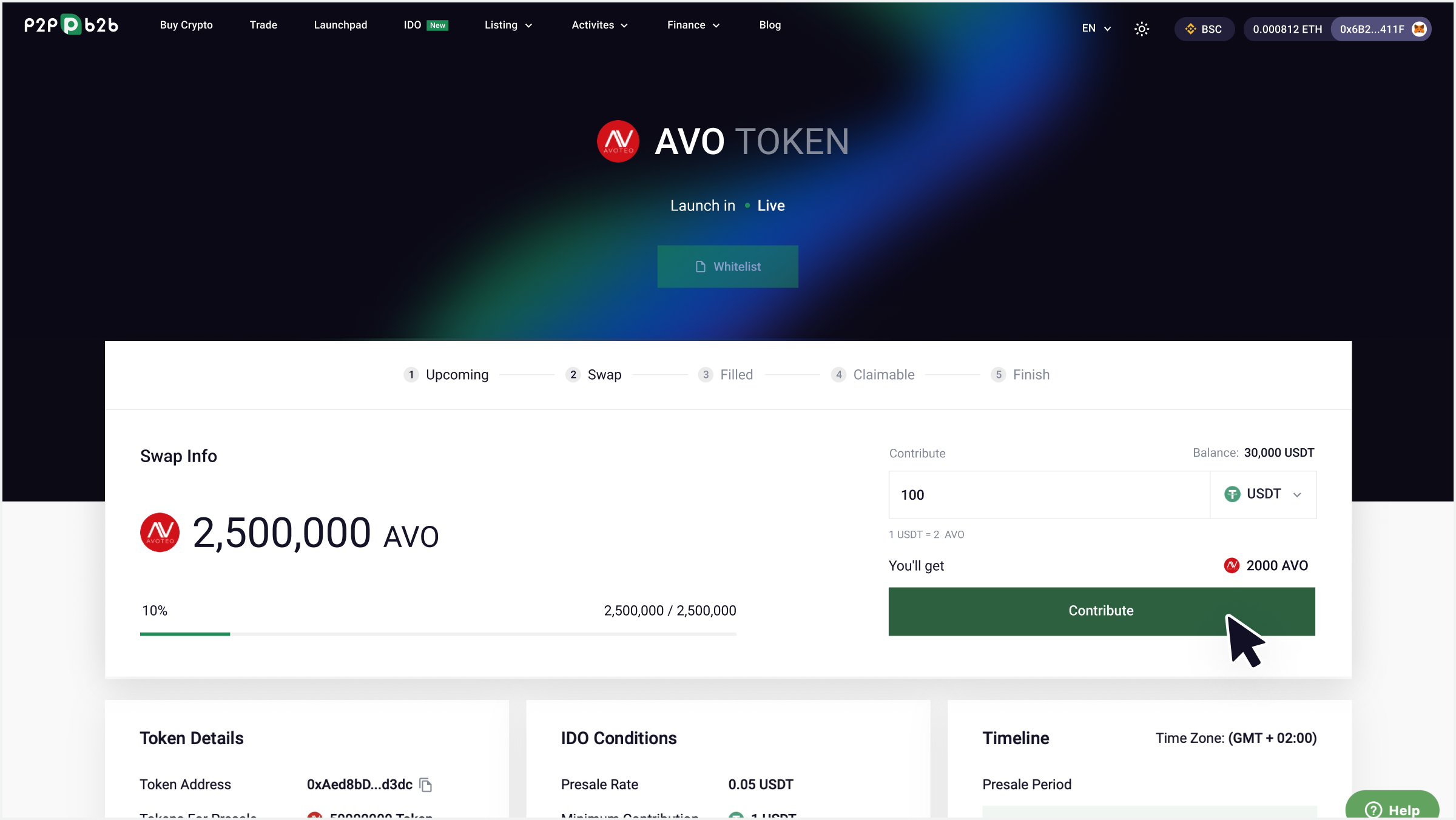
Pay attention that the period for sale is limited by IDO conditions. Also, the token amount for purchase is regulated by the project individually.
You can claim the tokens only on a specific claim date. In order to do it, choose the amount of tokens and click on the “Claim” button. Tokens will appear in your wallet and you can use them on your own.
If you have any further questions about the IDO process please contact our Support Team.
 Wow!
 Mmm
 Hmm
 Meh
 Pff